 moshpit
Paste that does not run half your text.
Pasting in
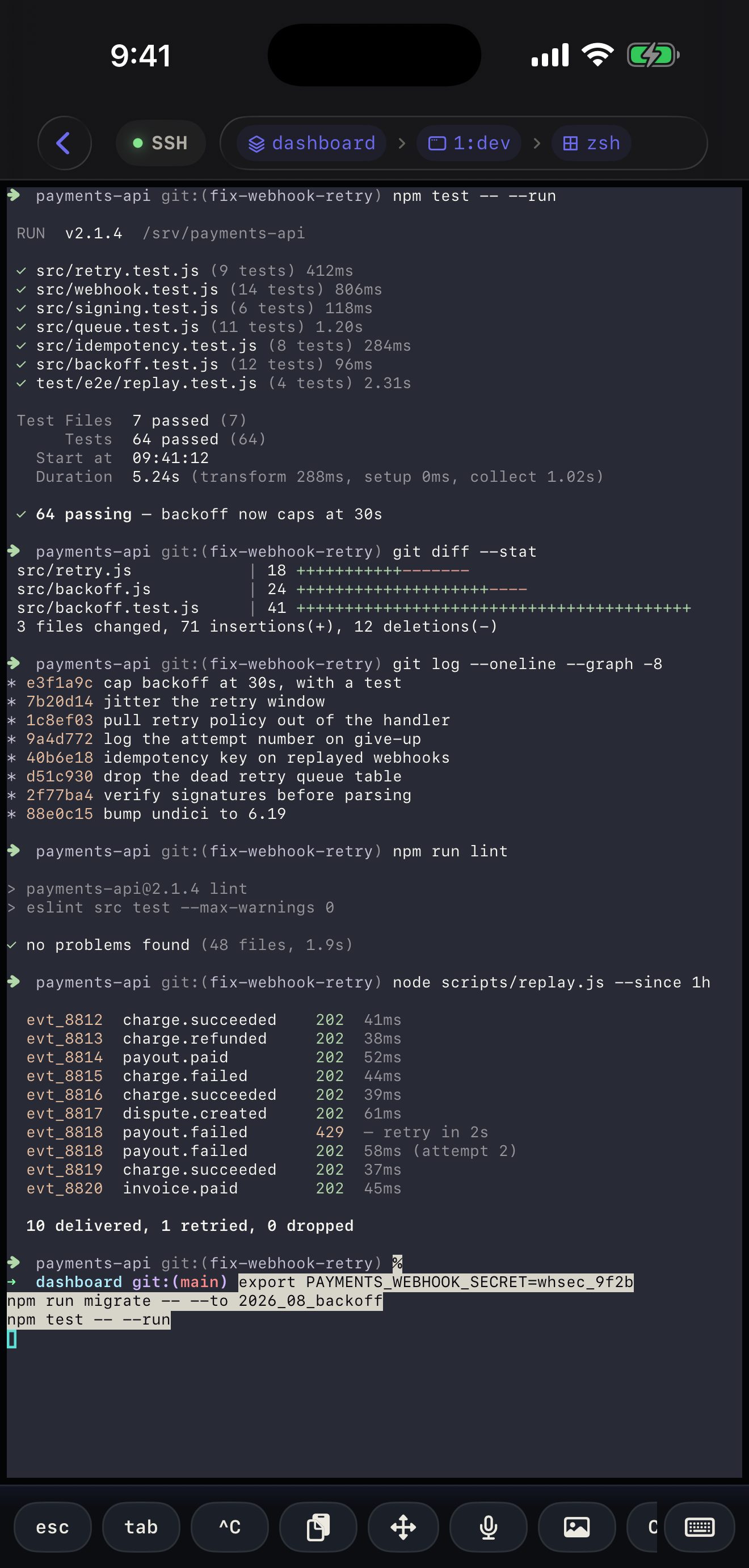
Section titled “Pasting in”The paste key sits on the shortcut bar by default. Moshpit checks whether the running program enabled bracketed paste (agents, vim and modern shells all do) and, if so, wraps your clipboard in the markers that tell it “this is pasted text, not typing”. The program then receives it as one block instead of a run of keystrokes with newlines in it.
If the program did not ask for bracketed paste, the text is sent as plain keystrokes — which is what that program expects, and why the check is worth doing rather than always wrapping.
Copying out
Section titled “Copying out”Select text in the terminal with a long press and drag, then copy. URLs are linkified — including ones that wrapped across two rows, which Moshpit joins using the emulator’s own soft-wrap bit rather than guessing from row width.
Practical notes
Section titled “Practical notes”- Long pastes over a slow link arrive as one write, so nothing shows until the server echoes it back — the same as typing over SSH.
- iOS asks before an app reads the clipboard the first time. That prompt is the system’s, not ours, and it is asking about the paste you just requested.
- Nothing is copied off the device. Clipboard content goes to the terminal you are connected to, and nowhere else.