Features / Files
Open the file your agent just made.
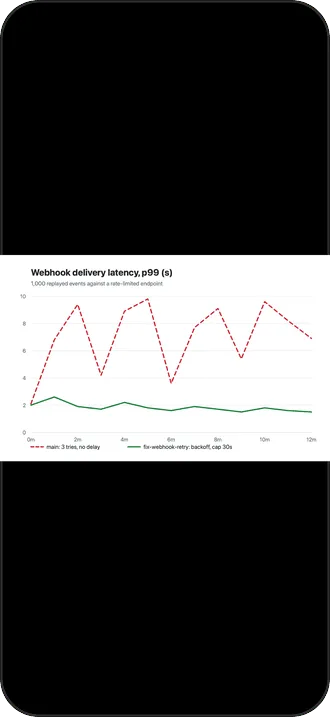
The agent says it saved a chart to out/latency.png. On a laptop you would open it. On the phone, tap the path.
Why it’s there
Tap the path
Paths in an agent’s output are links. An image previews, a video plays, text reads as text.
Browse and share
From the file, browse its folder on the host, or share the file on with the iOS share sheet.
And the other way
Share a screenshot or a photo from any app straight into an agent’s pane.
How it works
- The file comes over the session’s own SSH connection. Nothing else is set up on the host.
- A copy is kept until the file changes on the host: a chart the agent regenerated is fetched fresh, an unchanged one opens instantly.
- A file over 50 MB asks before it downloads.
Good to know
- Previews use iOS’s own viewer, so what opens is what iOS can show.
- Downloaded copies live in temporary storage that iOS clears on its own.
More features
Notifications
The agent asks. Your phone knows.
Home and Live Activity
Who is waiting, who is working, and for how long.
tmux and herdr
See every pane. Swipe between them.
Agent tasks
A new task, on its own branch, from your phone.
Mosh
Walk out of the Wi-Fi. The session stays.
Terminal
A terminal first.
Voice input
Talk to your agent. The audio stays on the phone.
Jump host
Jump hosts, the way ssh ‑J does it.
Privacy and source
Paid once. Nothing collected. Source open.
Companion